Newborn Photoshoot at Home: The Easy DIY Guide
A professional newborn session costs $200–$450 and means bundling your days-old baby into a car seat for a stranger's studio. The good news: with the phone already in your pocket and about twenty minutes during a morning nap, you can get portraits that look like they came from a studio — at home, on your baby's schedule.
This guide covers the safe, simple way to photograph a newborn at home, and how to turn those simple shots into styled studio portraits without buying a single prop.
When to do a newborn photoshoot at home
The classic "curly, sleepy newborn" window is days 5–14, when babies still sleep deeply and curl naturally. But don't stress if that window passes — awake-eyed shots at 3–6 weeks are just as beautiful, and milestone-style photos work at any age.
Shoot after a feed, during the deepest part of a nap, in a warm room (24–26°C / 75–78°F). A warm, fed baby stays settled; a cold, hungry one doesn't.
Lighting: use one big window
Skip the flash — it's harsh and can startle the baby. Lay a blanket on the bed or floor near your largest window, with the light falling at a 45° angle across the baby's face. Cloudy days are actually perfect: the whole sky becomes a giant softbox.
Safe, simple poses anyone can do
Professional newborn posing (the "froggy" chin-on-hands pose, hanging wraps) is composite trickery done by trained photographers with a spotter. At home, stick to poses where the baby is fully supported the entire time:
- ✦ Back-lying on a textured blanket, shot from directly above
- ✦ Swaddled, shot from above or from the side
- ✦ Curled on their side with a rolled towel behind for support
- ✦ In a parent's hands or on a parent's chest (great scale contrast)
You don't need props — you need a backdrop
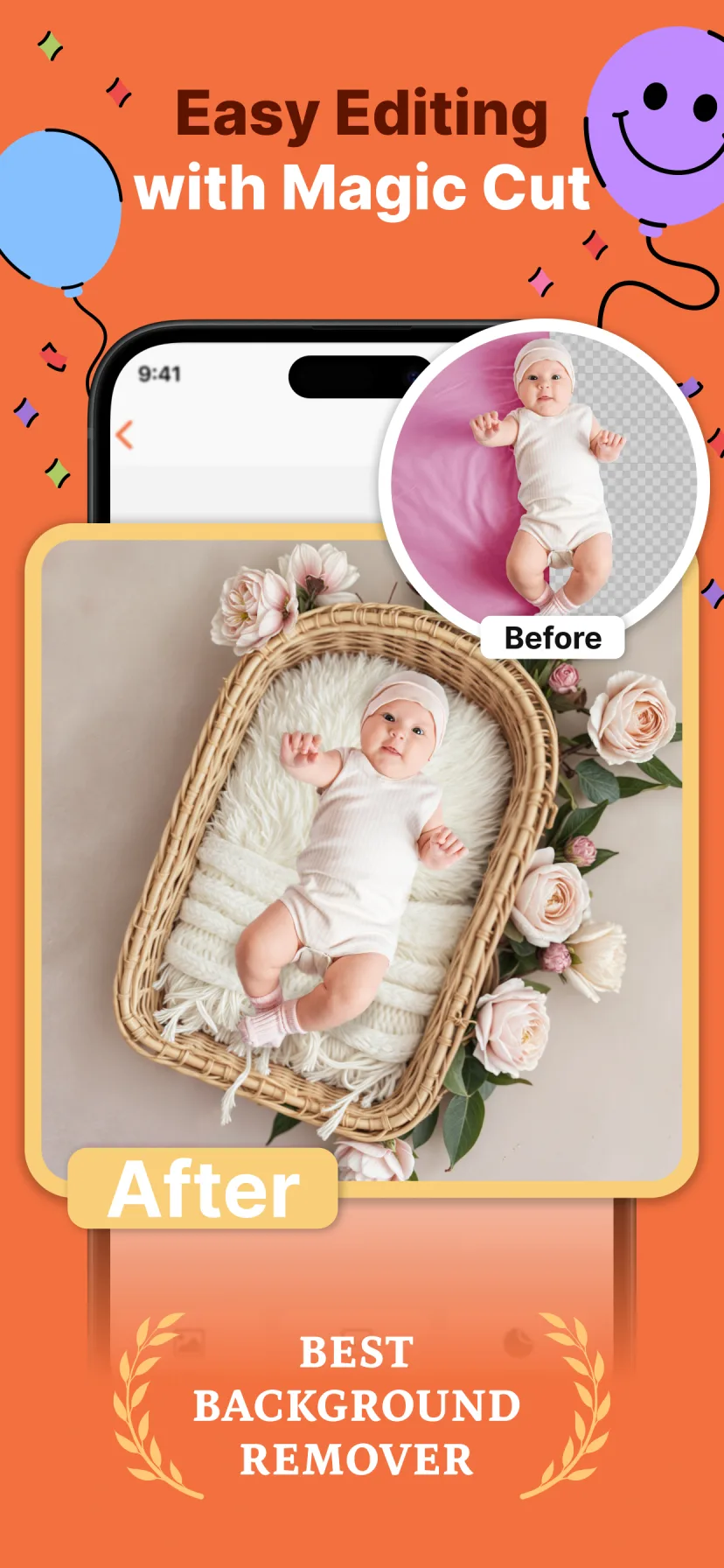
What separates a phone snap from a studio portrait isn't the camera. It's the scene: the wicker basket, the flower wreath, the fur layer, the seamless backdrop. Buying that setup costs more than a photographer.
That's the part you can now do digitally. Miracle's Magic Cut uses AI to lift your baby cleanly out of the photo and place them into a professionally designed newborn scene — cozy nests, mini beds, boho wreaths, teddy-bear setups — with matched lighting, in one tap.
How to do it with Miracle
- 1
Take a simple photo
Baby on a plain blanket by the window, shot from above. Any nap photo already on your phone works too.
- 2
Open Miracle and pick a newborn theme
Browse the newborn category — cozy nests, wicker baskets, floral wreaths, boho and teddy setups.
- 3
Let Magic Cut do the work
The AI removes your background automatically and blends your baby into the studio scene.
- 4
Add name and date, then save in HD
Enchanting fonts and stickers personalize it. Export print-ready quality for frames, announcements and grandparents.
Free to download · 4.5★ on the App Store
Frequently asked questions
What is the best age for a newborn photoshoot at home?
Days 5–14 are ideal for sleepy curled poses, but at-home shoots work at any age — that's the advantage of not booking a studio window.
Can I do a newborn photoshoot with just an iPhone?
Yes. Window light, a plain blanket, and portrait mode get you 90% of the way. A baby photo editor like Miracle adds the studio backdrop and styling digitally.
How do photographers get those elaborate newborn setups?
Studios use purpose-built props, heaters and composite editing. You can recreate the look digitally by placing your photo into a pre-designed scene instead.