
Monthly Baby Photo Ideas: 12 Months, 12 Little Works of Art
The monthly baby photo is the sweetest tradition in modern parenting — and the one most likely to fall apart by month four, when the novelty wears off and the milestone blanket is in the wash.
Here are ideas that keep the series going all twelve months, plus the shortcut that makes every month look professionally styled even when the photo was taken mid-chaos.
Pick one constant, vary everything else
The magic of a monthly series is comparison: same pose or same anchor object, with your baby visibly growing against it. Choose one constant — the same chair, the same stuffed animal, the same blanket — and let the theme change around it.
- ✦ Classic: milestone card or number balloon showing the month
- ✦ Seasonal: pumpkins in October, blossoms in April, beach towels in July
- ✦ Story themes: little astronaut, tiny chef, teddy-bear picnic
- ✦ Color series: a different pastel backdrop each month
Month-by-month ideas that match development
Work with what your baby can actually do each month instead of fighting it:
- ✦ Months 1–2: swaddled sleep shots from above — the only time they hold still
- ✦ Months 3–4: tummy-time angles; those first genuine smiles
- ✦ Months 5–6: supported sitting; the classic half-birthday cake-free "smash"
- ✦ Months 7–9: crawling action shots, peekaboo poses
- ✦ Months 10–12: standing at furniture, first steps, birthday countdown
The consistency problem — solved digitally
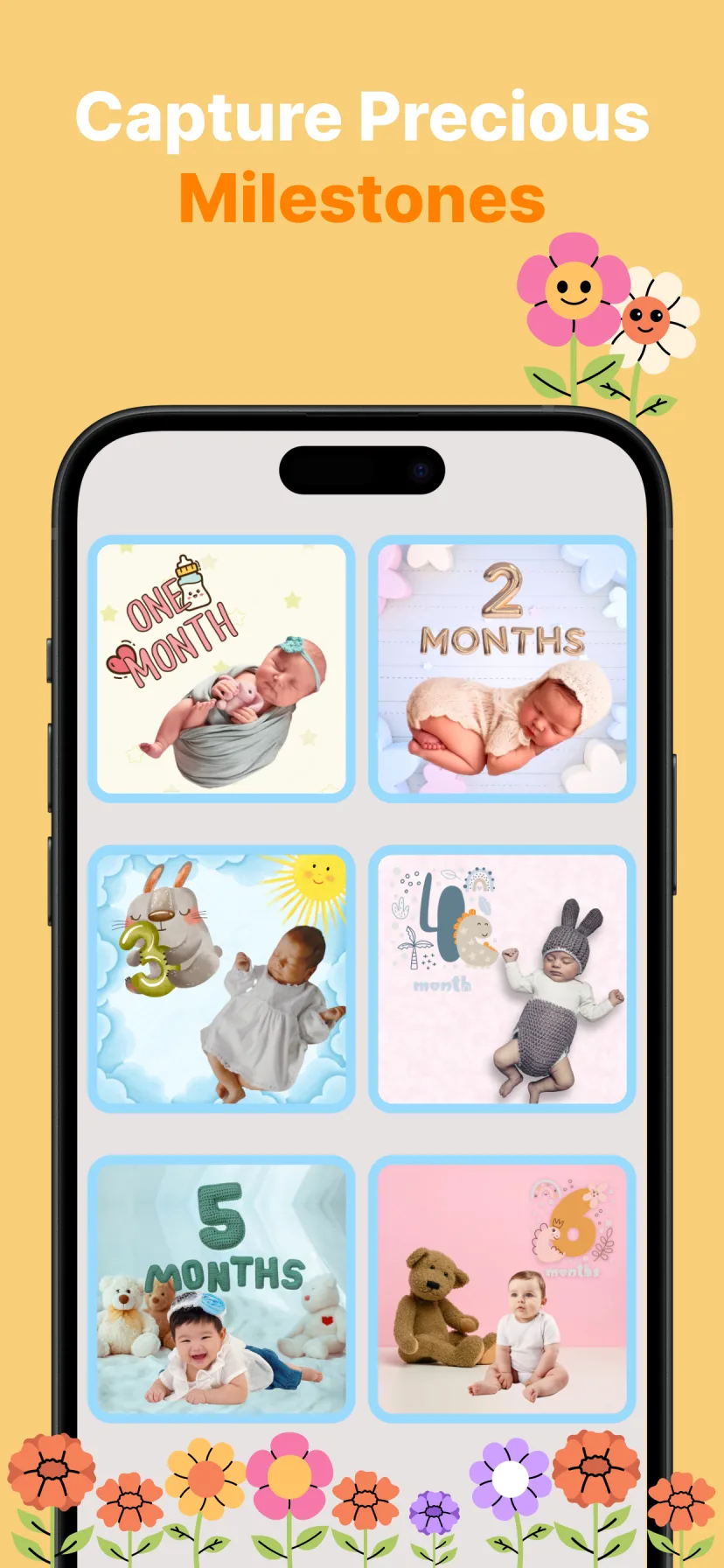
Real-life monthly photos never match: different rooms, different light, different pajama stains. That's where a milestone template system beats DIY props. Miracle gives you a matching set of monthly backdrops — "1 month" through "12 months" — so the series looks intentionally designed even though each source photo was a random Tuesday snap.
Because the background is replaced by AI, the couch, laundry pile and lighting differences disappear. Only your baby changes from card to card, which is exactly the point.

How to do it with Miracle
- 1
Snap this month's photo anywhere
Play mat, crib, your lap — background doesn't matter because it's getting replaced.
- 2
Choose the matching monthly template
Miracle's milestone category has coordinated designs for every month, plus balloons, stickers and month typography.
- 3
Magic Cut places your baby into the scene
AI background removal keeps every strand of hair, then blends the baby into the themed backdrop.
- 4
Export and keep the streak
Save in HD, share to family, and next month pick the next number in the same set.
Free to download · 4.5★ on the App Store
Frequently asked questions
How do I keep monthly baby photos consistent?
Use the same template set every month rather than the same physical setup. With AI background replacement, only the baby changes between photos — the styling stays identical.
When should I take the monthly photo?
On or near the "month-iversary" date, after a feed and nap. Morning light is most consistent month to month.
What app makes baby monthly pictures?
Miracle: Baby Photo Editor has a full monthly milestone template system — coordinated backdrops, number balloons, stickers and fonts for months 1–12.